Iceland gets way easier when you can just look things up. This pocket WiFi rental gives you unlimited 4G internet in Iceland, with the big win being you don’t need to swap SIM cards in your phone to use it. You rent a portable hotspot, connect up to 10 devices, and keep going while you drive, hike, or bounce between towns.
What I like most is how simple it is for groups. The price is listed per group (up to 10 people/devices), and you can choose rental lengths from 4 up to 100 days, so it fits weekend road trips and longer stays. The other thing I really like is the Keflavík airport pickup and return setup, with a clear “orange box” routine.
The main drawback to know up front is that pickup can get confusing. Some counters didn’t immediately understand certain proof-of-purchase details, and one common snag was that the order code used for registration may be a longer 10-digit code, not a shorter one—so bring everything your voucher gives you and keep it easy to show.
In This Review
- Key things to know before you rent
- Unlimited 4G pocket internet: what it really changes for your trip
- Connecting up to 10 devices without “data chaos”
- Price and value: why $67 per group can be a smart move
- Keflavík airport pickup: the “orange box” routine
- The one snag to plan for: smooth pickup isn’t guaranteed
- Using the hotspot in real life: navigation, messaging, and sharing plans
- Support that’s close by: when you hit the annoying problem
- Who this pocket WiFi rental fits best
- A practical step-by-step plan for your arrival and departure
- Arrival: pick up at Keflavík
- Day-to-day: connect your devices
- Departure: return through the airport mailboxes
- Should you book this pocket WiFi rental?
- FAQ
- Where is pickup and return for this pocket WiFi rental?
- How many devices can I connect to the pocket WiFi?
- Is the data unlimited?
- How long can I rent the pocket WiFi?
- What do I need to return at the airport?
- How do I return it at Keflavík airport?
- Is this rental refundable or changeable after booking?
Key things to know before you rent
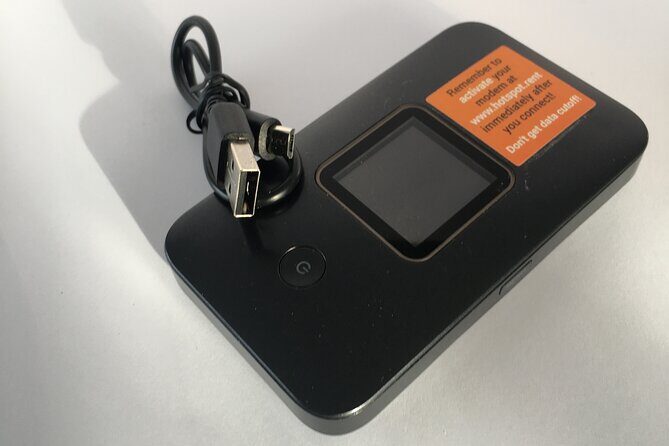
- Unlimited 4G for up to 10 devices, without changing your phone’s SIM card
- Group pricing that’s designed to work when multiple people need data
- Keflavík airport handoff and return, using the provided orange box
- Mobile ticket confirmation you receive at booking time
- Local support is available if you run into trouble with the device
Unlimited 4G pocket internet: what it really changes for your trip
Iceland is one of those places where you constantly need your phone—maps, photos, messages, ride plans, and quick restaurant checks. Having a portable hotspot means you’re not stuck hunting for WiFi at the exact moment you need it. With unlimited 4G and the ability to connect up to 10 devices, it’s built for real-world use, not just “emergency checking.”
The no-SIM-swap part matters more than people think. If you’re traveling with a mix of phones and tablets (or more than one person who wants data), changing SIM cards turns into a mini project at the start of your trip. This keeps your phone setup the same while still letting everyone connect.
I also like that rentals can be long or short. A 4-day rental covers quick arrivals and ring-road touring pace, while longer durations (up to 100 days) fit work trips, study time, or extended solo travel where you still want reliable connectivity.
You can also read our reviews of more tours and experiences in Reykjavik.



Connecting up to 10 devices without “data chaos”
This hotspot is designed so you can connect multiple devices through one unit. The stated limit is up to 10 laptops or mobile devices, using unlimited 4G. That’s a practical sweet spot for families, friend groups, or even just a couple plus extra devices for navigation and sharing.
Here’s how you can think about it when planning:
- If two people are using phones for navigation and messaging, it’s a win.
- If you’ve got a group split between checking the map and sending photos, it’s a bigger win.
- If you’re the group planner, it helps you avoid the awkward moment when only one person has data.
Speed is described as fast, and customers rate the service highly on convenience and performance—especially the idea that you get signal widely across where you go. That’s the key: you want the hotspot to be boring. You want it to work while you focus on the road and the sights.
Price and value: why $67 per group can be a smart move
The price is listed as $67.00 per group (up to 10). That pricing style is what makes this feel like value instead of “just another add-on.” If you’re traveling as a group and multiple people need internet, you’re paying once for the connection rather than scrambling for multiple separate data plans.
It also helps with planning. With one rental, you’re not coordinating who has the working SIM, who has the right data package, or who has to stand around waiting for a connection. And because it’s unlimited, you’re less likely to ration data out of fear.
The budget angle isn’t only about the dollar amount. It’s about how much time you save. When everyone has the same access, you reduce the friction that slows down decisions—where to stop, how long to stay, and when to change plans due to weather.
Keflavík airport pickup: the “orange box” routine
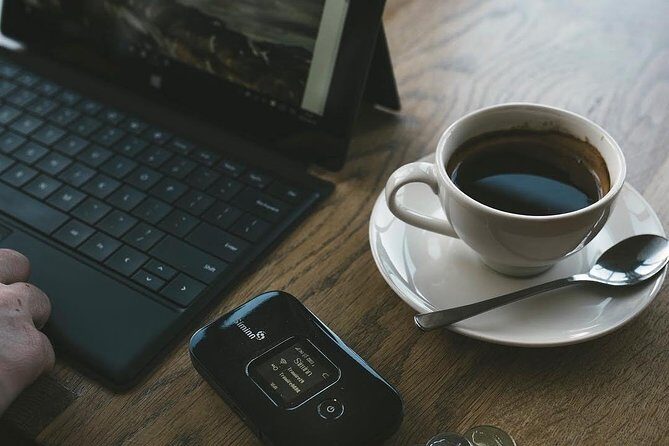
Both the start and end point are Keflavík International Airport, at 235 Keflavík, Iceland. Pickup and return are handled through the airport mail process, which is convenient because it’s built around your arrival and departure timing.
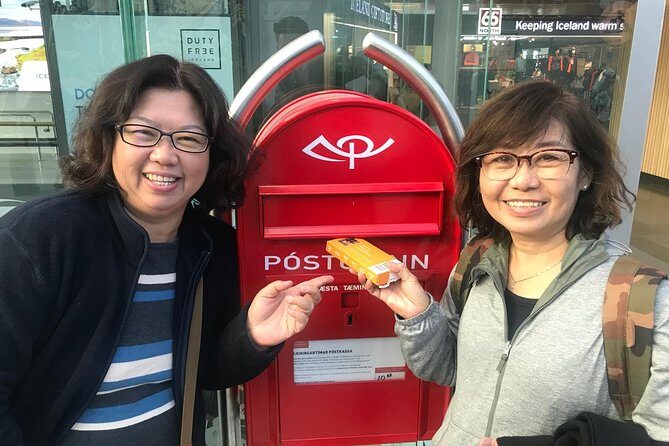
For pickup, you’ll pack and keep track of the modem and USB cord using the same orange box the device came in. The return is not a long detour—you’re meant to deliver the device back to the airport mailboxes at the end of your trip.
Return details are specific (and that’s good for you):
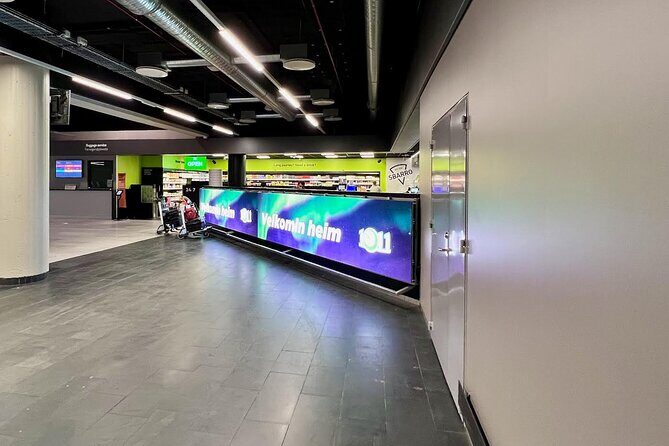
- One mailbox is located in the Departure Hall
- The other is in the main food hall after security
- Both mailboxes are described as pre-stamped
So your main job is not to “figure it out.” Your job is to bring the device back in the same packaging and drop it in the right mailbox area based on where you are in your airport flow.
The one snag to plan for: smooth pickup isn’t guaranteed

This is the part I’d treat like a pre-flight checklist. The overall rating is 4.2 out of 5 based on 15 reviews, with the highest marks going to ease of use and easy return. But there are also clear complaints about pickup confusion.
Two specific issues show up:
- Some desks didn’t immediately understand how to process certain proof-of-purchase details.
- Registration may require a longer 10-digit order code, and the code format might not match what you expect from a shorter guide.
What you can do to reduce stress:
- Keep your voucher and confirmation info easy to access on your phone.
- If you have paperwork, have it ready to show. One account described staff being more certain when the correct paperwork was presented.
- When you start registration, double-check the code length you’re using so you don’t waste time troubleshooting something that’s simply misread.
This isn’t the kind of problem you want on Day 1. Iceland is calm, but airports aren’t. So I recommend you treat pickup like a quick admin task: gather documents, move fast, then get out to the car and start the fun part.






Using the hotspot in real life: navigation, messaging, and sharing plans
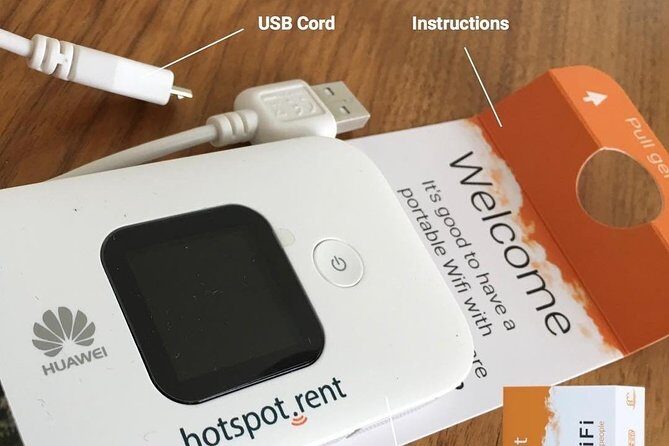
Once you’re connected, this is the kind of travel tech that fades into the background. You get to keep using your existing phone setup, while other devices join the same network. In practice, that means navigation stays on, message threads don’t stall, and group decisions can happen without arguing over who has signal.
The service is described as working with no SIM swapping in your current device, and customers mention signal everywhere you go. While nobody can guarantee every corner of every road, the focus is clearly on broad coverage and steady connectivity—exactly what you want for an island trip where cell service can be uneven.
Also, a group hotspot helps if you’re sharing plans. Maybe you’re sending a live location to meet up. Maybe you’re picking a meeting point for a hot spring or a viewpoint. Maybe you’re coordinating a schedule around daylight. Having internet on multiple devices makes those “small coordination” moments feel normal.
Support that’s close by: when you hit the annoying problem
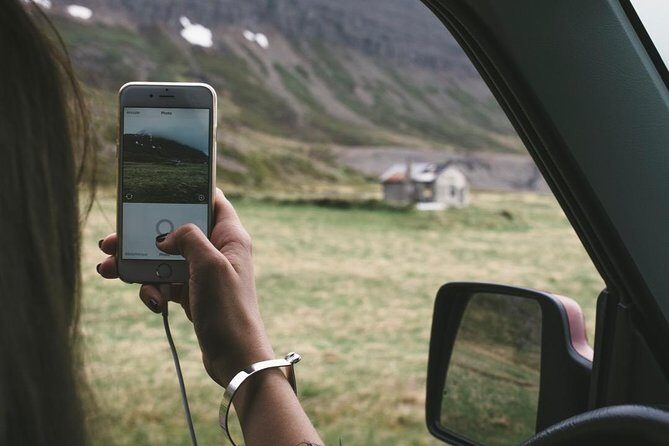
One of the most reassuring parts is that local support is described as nearby. Customers also rate that support highly, with a 5 out of 5 type of experience tied to convenience and speed.
Pocket WiFi rentals are usually straightforward. The risk is always human-factor stuff: a code that doesn’t look like you expected, a desk worker who hasn’t seen the voucher format, or a quick question when you’re tired after travel. The fact that support is positioned to help makes the whole thing feel less risky.
If you want this to go smoothly, set yourself up for success:
- Start registration soon after you get the device, not after you’ve already left the airport zone.
- Keep the device and charger where you can grab them easily.
- If something doesn’t match what you expect, ask for help right away rather than waiting until you’re on the road.
Who this pocket WiFi rental fits best
This works best for people who want reliable internet without messing with SIM cards. It’s a strong fit for:
- Groups of friends sharing routes and photos
- Families where multiple phones need internet at once
- Solo travelers who still rely on maps and messaging and don’t want to ration data
It also fits longer stays because rental periods can run from 4 up to 100 days. If you’re working remotely or planning to stay connected for an extended stretch, this is a more stable approach than constantly searching for WiFi.
It’s also noted as near public transportation and that most travelers can participate, so the overall vibe is “easy to join” as an add-on rather than a specialized tour.
A practical step-by-step plan for your arrival and departure
Think of this as a simple three-part flow: land, connect, return.
Arrival: pick up at Keflavík
You’ll meet the process at Keflavík International Airport (235 Keflavík, Iceland). The setup is based around airport mailboxes and pre-stamped returns, which makes it feel structured instead of chaotic.
Your job is to handle the administrative part quickly: keep your confirmation handy, and be ready for staff to ask clarifying questions about the device you prepaid.
Day-to-day: connect your devices
Connect up to 10 devices to the hotspot using unlimited 4G. The “no SIM swap” design keeps your phone settings familiar, which reduces the chance of fiddly setup while you’re tired.
This is also where the value becomes real. Internet isn’t only for entertainment—it’s for safe navigation, staying in touch, and adjusting your plan when weather changes.
Departure: return through the airport mailboxes
Before you leave, pack the device and USB cord using the same orange box. Then drop it into one of the two mailboxes:
- Departure Hall
- Main food hall after security
That’s the key payoff: you’re not trying to find a counter at the last second. You’re using the airport’s designed return path.
Should you book this pocket WiFi rental?
If you’re traveling in a group (up to 10 devices) and you want a simple, unlimited connection without SIM swaps, I think you’ll like this. The pricing structure and the airport-based return method are both designed for convenience.
Book it with confidence if:
- You need connectivity for navigation and messaging throughout your trip
- You’re okay doing a quick admin step at pickup
- You’re returning the device in the orange box and following the mailbox locations
Skip the stress risk if:
- You’re very sensitive to last-minute confusion at the counter
- You don’t want to deal with order-code/registration details (especially if your code format expectations might be different)
Bottom line: for most groups, the cost and convenience make sense. Just plan a little extra attention for pickup paperwork so the device starts working fast and you can spend your time outside.
FAQ
Where is pickup and return for this pocket WiFi rental?
Pickup and return are at Keflavík International Airport, 235 Keflavík, Iceland.
How many devices can I connect to the pocket WiFi?
You can connect up to 10 laptops or mobile devices.
Is the data unlimited?
Yes. The service is listed as unlimited 4G mobile internet.
How long can I rent the pocket WiFi?
Rental lengths range from 4 days up to 100 days.
What do I need to return at the airport?
You should pack the modem and USB cord, using the same orange box it came in.
How do I return it at Keflavík airport?
Deliver it to one of two pre-stamped mailboxes at the airport: one in the Departure Hall and one in the main food hall after security.
Is this rental refundable or changeable after booking?
No. It’s non-refundable and cannot be changed for any reason.